Digital expense claims made simple, efficient, and transparent. Revolutionize your expense management with online submission and approval for all employee claims.
The e-Claim module in BizCloud HRM Suite transforms traditional expense reporting into a streamlined digital process. This solution enables employees to submit claims electronically while providing approvers with tools to efficiently review and process reimbursements.
Eliminate paperwork with digital submission and approval
Snap photos of receipts directly from your phone
Flexible approval workflows tailored to your organization
Submit expense claims with digital receipts
Approve/reject claims and track budgets
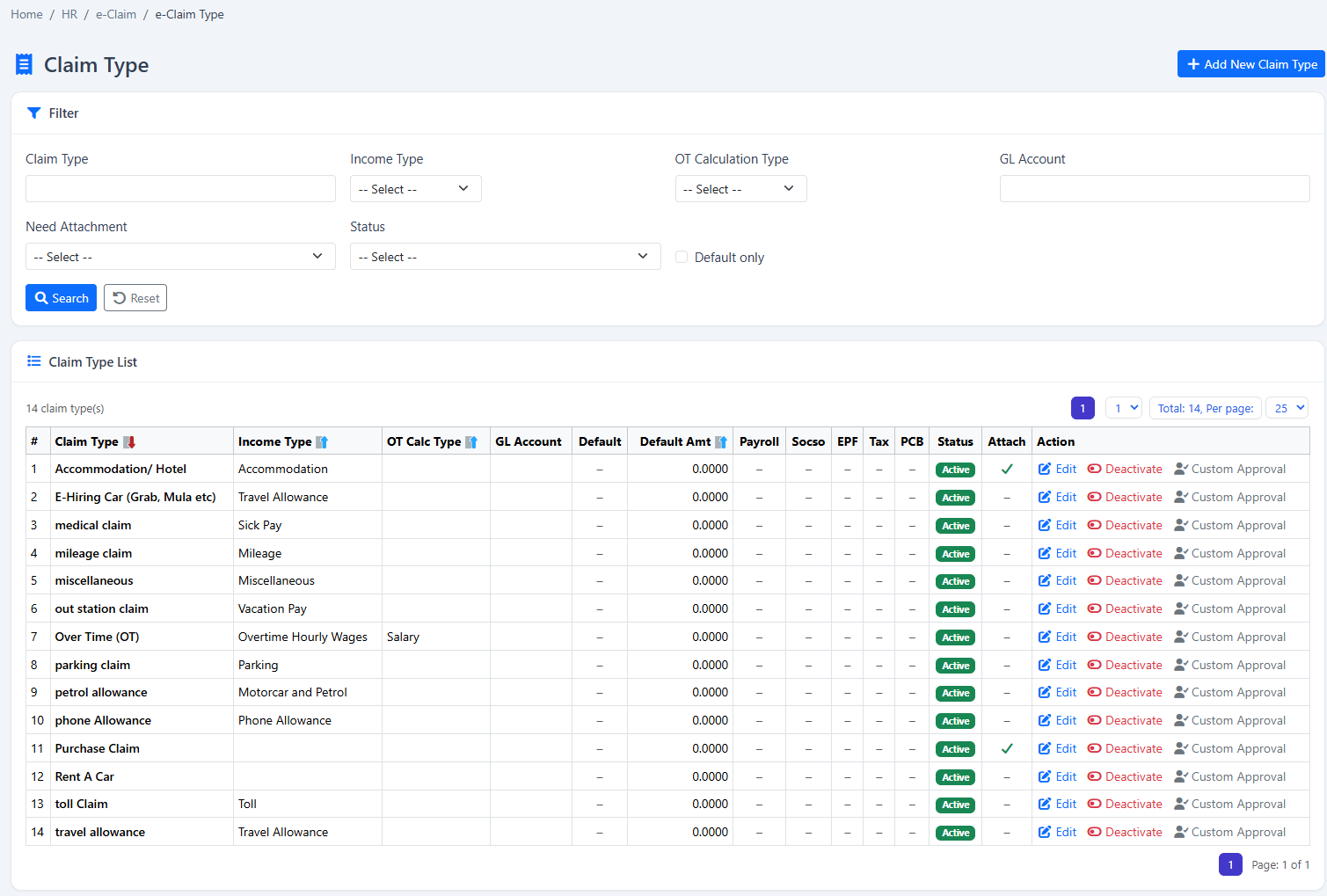
Configure policies and monitor usage
Menu > e-ClaimThe app allows you to photograph and upload receipts directly from your mobile device, making on-the-go expense reporting effortless.
Always ensure you're using a secure network when accessing the e-Claim system, especially when submitting sensitive financial information.
Menu > e-Claim > Apply ClaimEnsure receipts clearly show:
For multiple expenses from the same trip or period:
e-Claim > File ClaimBatch submissions are ideal for business trips where you accumulate multiple expenses (transportation, meals, lodging) over several days.
Submit claim with digital receipts
Immediate email to supervisor
Via email or web portal
To higher management when required
Final approval triggers payment
Menu > HR > Approval Setting > Approval SetSet different approval levels by:
Configure automatic approvals for small claims or specific categories to streamline the process.
Always verify receipts match claimed amounts before approval. Flag any suspicious claims for review.
Menu > e-Claim > e-Claim ReportAwaiting review
Cleared for payment
Requires resubmission
Our system generates comprehensive reports including:
Our team can develop custom analytics tailored to your specific business requirements.
Reduce claim processing time by up to 70% compared to manual methods
Eliminate paper costs and reduce administrative overhead
Minimize human errors in calculations and approvals
Our in-house development team can customize the e-Claim system to meet your specific business requirements.
2-3 business days with our support team guidance.
| Issue | Solution |
|---|---|
| Claim rejected without reason | Check approval comments in claim history. Contact approver if unclear. |
| Cannot upload receipt | Ensure file is <10MB and in JPG, PNG, or PDF format. Check internet connection. |
| Limit reached message | View your personal policy under My e-Claim Policy. Contact HR if exception needed. |
| Approval notification not received | Check spam folder. Verify notification settings in your profile. |
| Incorrect claim amount calculation | Verify currency settings. Check for automatic currency conversion if applicable. |
If issues persist, contact your HR system administrator or the BizCloud HRM support team with specific error details.
Gather feedback from users regularly to identify pain points and opportunities to streamline the claims process further.
Our HR specialists will guide you through setup and customization to match your exact business requirements.