Daily attendance report for HR & payroll

Employee Timesheet & Attendance List

Daily clock-in, clock-out, lunch, overtime and missing punch records in one clear view.

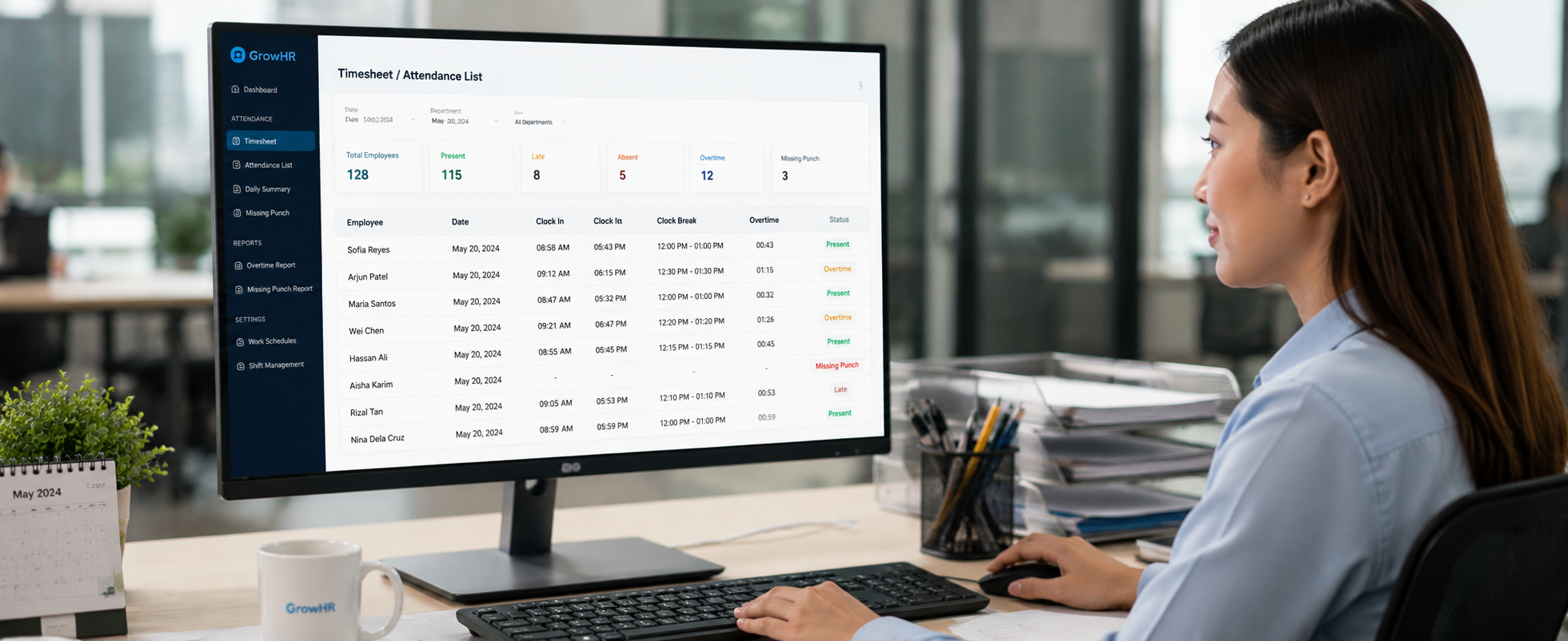
View employee attendance records, clock-in and clock-out time, lunch break, work hours, overtime, leave status, late-in, missing punches and HR remarks in one organised timesheet report.

Daily Details Check exact time in and time out.
Spot Issues Find missing punches and late records.
Payroll Ready Review before salary processing.
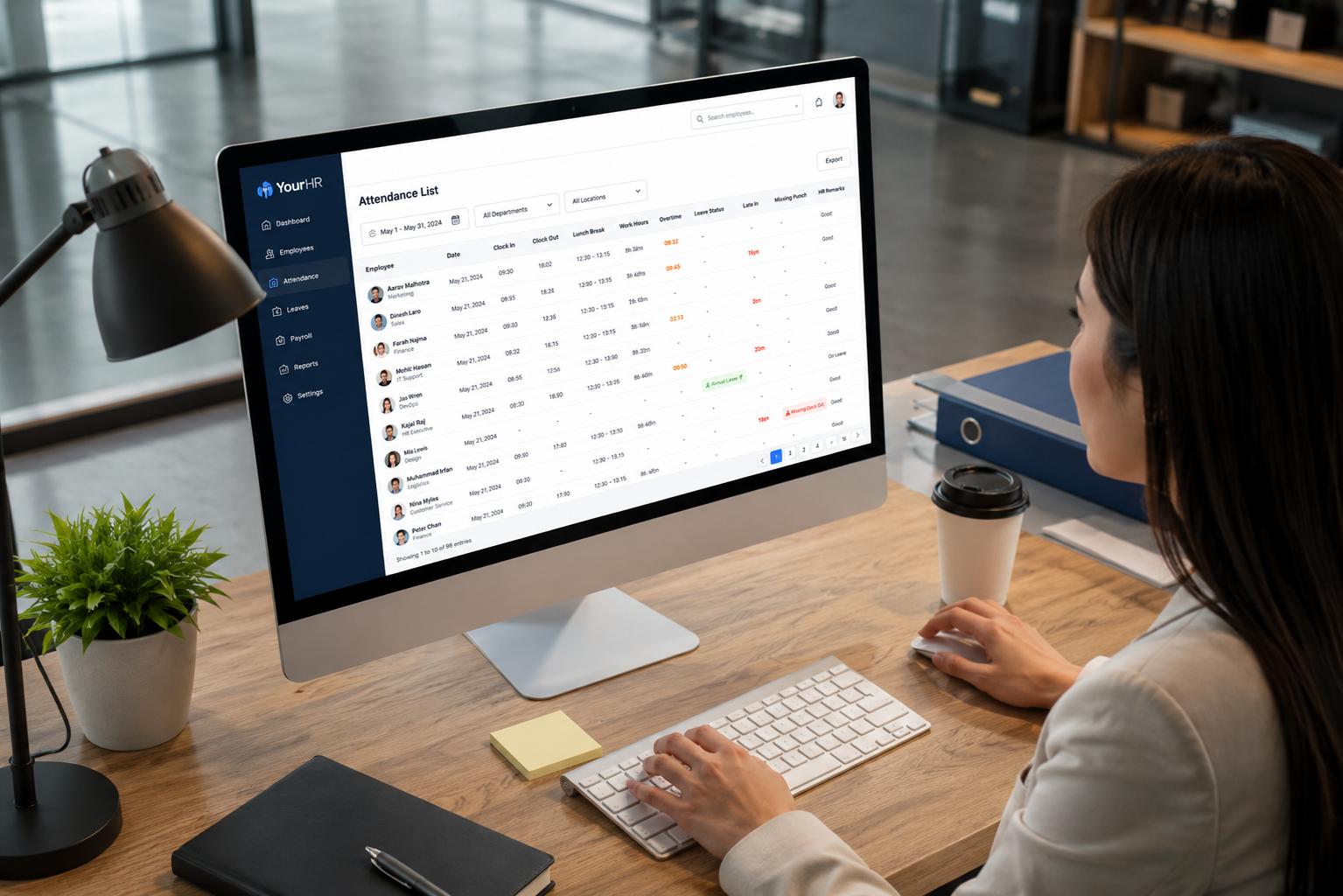
Southeast Asian HR team reviewing eLeave.my employee timesheet attendance list dashboard
Clear HR Review Clock-in, clock-out, lunch, leave and overtime in one list.
Suitable for Many Work Arrangements

Whether your team works in the office, on shifts, at branches or in the field, eLeave.my helps HR check daily attendance records with better clarity.

Office Staff

Track fixed working hours, lunch break, late-in, early-out and daily work duration.

Shift & Operations

Review shift attendance, rest days, overtime and different work patterns clearly.

Field Teams

Check mobile clock-in, GPS records, branch attendance and daily work status.

Retail & Branches

Centralise daily attendance records across multiple outlets, locations and departments.

Clear Attendance Records Without Manual Checking

HR teams often spend too much time checking clock-in records, late arrivals, missing punches, lunch hours and overtime manually. eLeave.my helps organise these details into a clear list, making it easier to verify attendance before payroll processing.

  • View employee daily attendance in a structured timesheet format.
  • Identify late-in, early-out, no in/out, leave, rest day and overtime records quickly.
  • Reduce manual checking work before payroll calculation.
  • Support multiple departments, work patterns, lunch groups and flexible schedules.

Designed for HR, Admin & Management

The attendance list gives your team a practical overview of every employee’s daily attendance details, making it easier to spot issues, approve changes and prepare reports.

From Clock-In to Payroll

Attendance data can be reviewed together with leave, work pattern, overtime and remarks, helping businesses reduce payroll disputes and improve HR accuracy.

What the Timesheet List Helps You Track

A complete overview of employee attendance performance in one easy-to-read page.

Clock-In / Clock-Out

Check actual time in, time out, location map and daily attendance records clearly.

Lunch & Break Time

Review lunch records and break duration to support accurate working hour calculation.

Attendance Alerts

Highlight late to work, below duration, no in/out, overtime and missing records.

HR Review

Allow HR to review attendance data before salary, claims, overtime or disciplinary action.

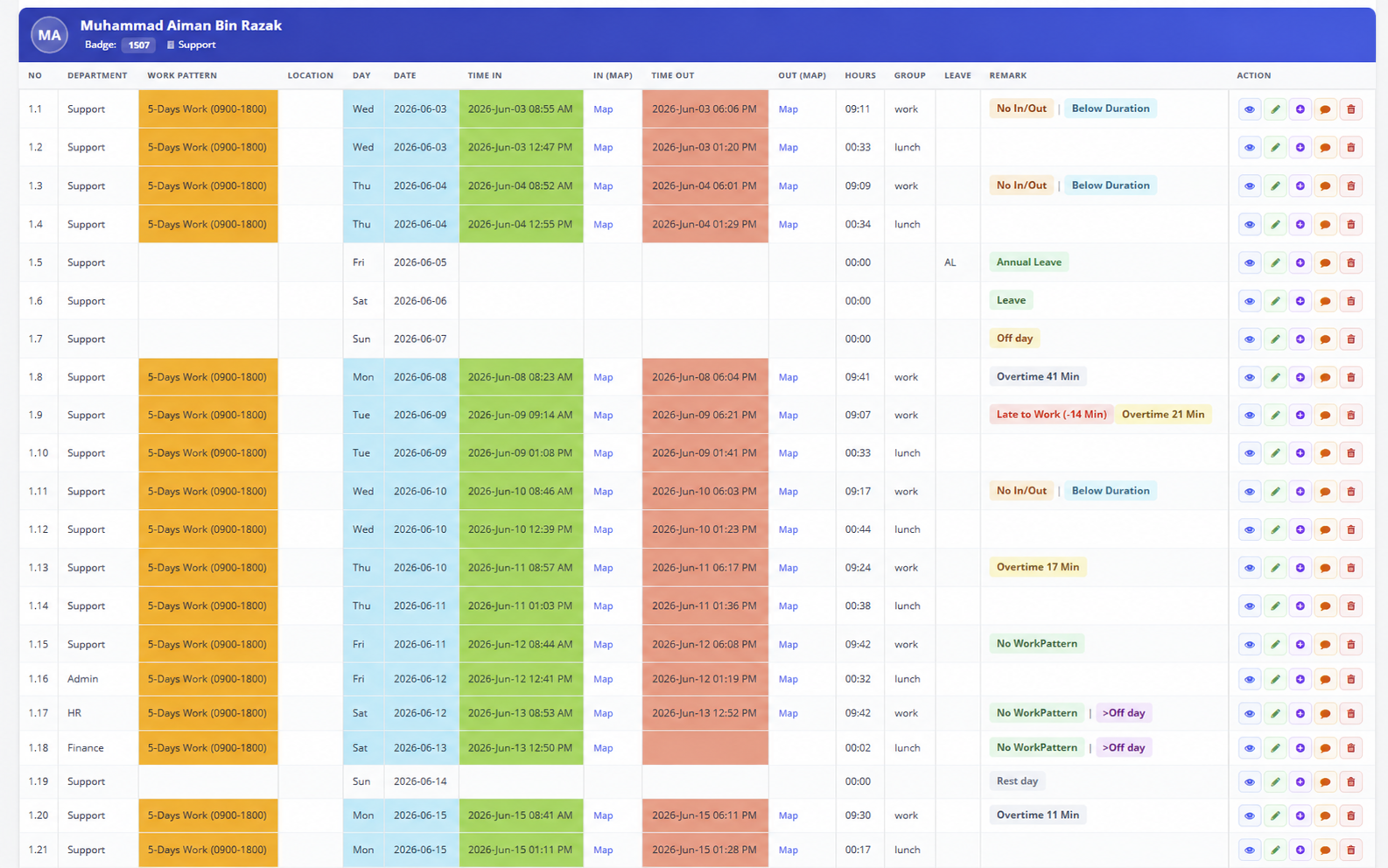
Employee Timesheet / Attendance List Overview

See daily clock-in, clock-out, lunch break, overtime, leave and missing records in one clear report.

eLeave.my employee timesheet and attendance list sample report
The detailed timesheet view is useful when HR needs to verify exact clock-in time, clock-out time, lunch break, overtime, missing punch records and location details before approving salary or overtime.

*This is a dummy sample preview. Actual attendance records will depend on your company setup, employee schedule and attendance device or app usage.

Common Attendance Problems Solved

Without a clear attendance list, HR teams may need to compare data manually across devices, Excel files, leave records and supervisor remarks.

  • Late-in, early-out and missing punch records are difficult to spot.
  • Lunch break, overtime and short working duration require manual calculation.
  • Leave, rest day and attendance records are checked in separate places.
  • Payroll teams need extra time to confirm daily working hours and remarks.

Before vs After eLeave.my

Make daily attendance checking easier for HR, management and payroll teams.

Before

  • Manual Excel checking.
  • Hard to trace missing punches.
  • Slower payroll review.

After eLeave.my

  • Clear daily attendance list.
  • Quickly identify abnormal records.
  • Better payroll preparation.

Best for Companies That Need Better Attendance Control

The Employee Timesheet & Attendance List is useful for companies that want a more organised way to verify daily attendance data before payroll or management review.

  • Have many employees and need proper daily attendance records.
  • Use multiple work patterns, shifts, rest days or lunch break rules.
  • Need to track overtime, missing punch and short working duration clearly.
  • Want to reduce Excel-based attendance checking.
  • Need proper records for payroll, management review or audit support.

Ready to Make Attendance Review Easier?

Book a demo or start your free trial today. Let us show you how eLeave.my can simplify your daily attendance checking process.

Built for Malaysia Suitable for local SMEs, offices, service teams, branches and operations staff.
Local Support Our team can guide your setup, work pattern and daily attendance usage.
Connected Modules Works with eLeave.my attendance, e-Leave, reports and payroll preparation.
Easy to Review Simple daily view for HR, managers and payroll teams to understand.

Why Businesses Need a Proper Attendance List

Attendance data is not only for checking who came to work. It affects payroll accuracy, leave calculation, overtime approval, HR compliance and management reporting.

  • Reduce payroll mistakes caused by missing or incorrect attendance records.
  • Make it easier for HR to explain late, overtime or absence cases.
  • Improve transparency between employees, supervisors and management.
  • Keep attendance details properly organised for monthly review.

Suitable for Different Attendance Methods

Whether your company uses fixed working hours, shift work, field staff attendance, lunch break tracking or branch-based clock-in, the attendance list helps centralise the information in one place.

  • Office employees with fixed work pattern.
  • Operation teams with shift or rotating schedules.
  • Field staff clocking in with mobile GPS.
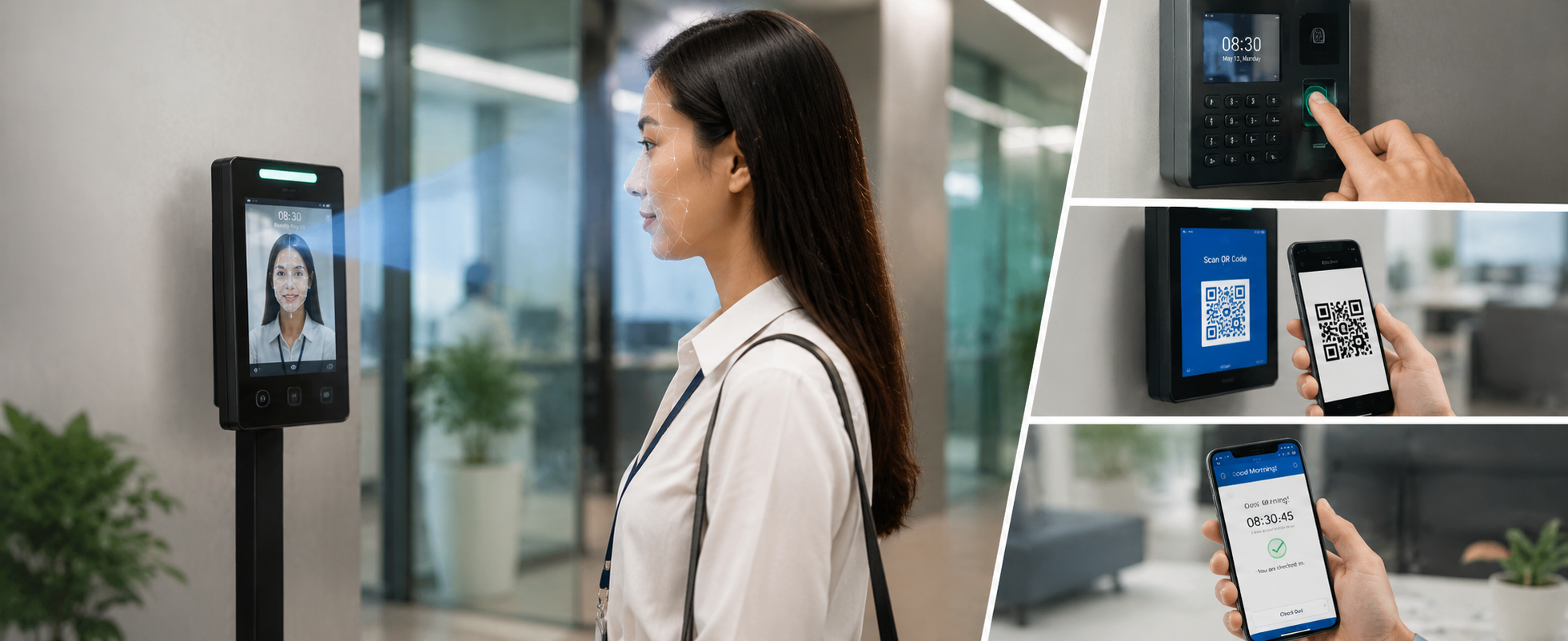
  • Companies using face recognition, fingerprint, QR code or mobile app attendance.

Works Together with Other eLeave.my Modules

Connect daily attendance checking with leave records, summaries and payroll preparation for a smoother HR process.

Attendance

Collect employee clock-in and clock-out records using different attendance methods.

e-Leave

Check leave applications and approved leave records together with attendance data.

Payroll Preparation

Review work hours, overtime and attendance remarks before payroll processing.

Attendance Summary

Use detailed daily records together with monthly attendance summary for better reporting.

Employee Timesheet & Attendance List FAQ

Common questions from business owners, HR teams and payroll users.

What is an employee timesheet attendance list?

An employee timesheet attendance list shows employee daily attendance records such as clock-in time, clock-out time, work hours, lunch break, overtime, leave, late records and missing punch records in one report.

How does it help payroll checking?

HR and payroll teams can review daily work hours, overtime, missing punches, leave and attendance remarks before salary calculation. This helps reduce manual checking and payroll disputes.

Is it suitable for companies with different work patterns?

Yes. It is useful for companies with office staff, shift workers, branch teams, field staff, lunch break rules, rest day rules and different departments.

Can it work together with e-Leave and Attendance Summary?

Yes. Timesheet List can support detailed daily attendance checking, while e-Leave and Attendance Summary help HR review leave and monthly records more clearly.

Related eLeave.my Features

Explore more tools that help simplify HR, leave, attendance and business activity management.

Make Attendance Review Faster, Clearer and More Accurate

eLeave.my helps your business manage timesheets, attendance records, work hours, leave and overtime in a more organised way, so your HR team can save time and reduce manual errors.