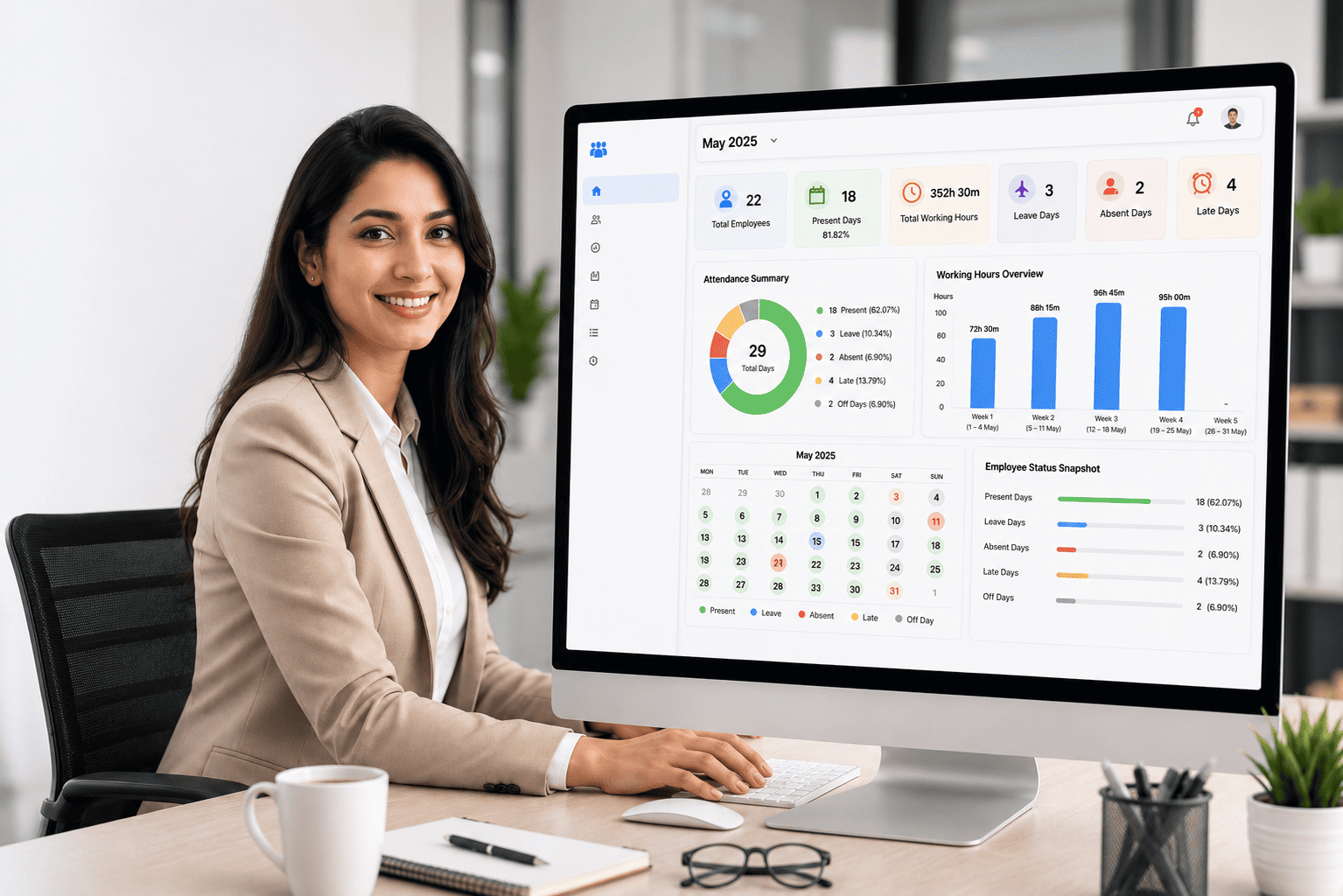
Review employee attendance status, working hours, leave, absence, late records and off days in one clear monthly summary. Save time, reduce manual checking and get more accurate attendance data before payroll.
Check monthly attendance faster without opening each employee record one by one.
Reduce manual report mistakes before payroll and management review.
See the full monthly attendance picture across departments and employees.
Support salary checking with clearer workday, leave and absence summaries.
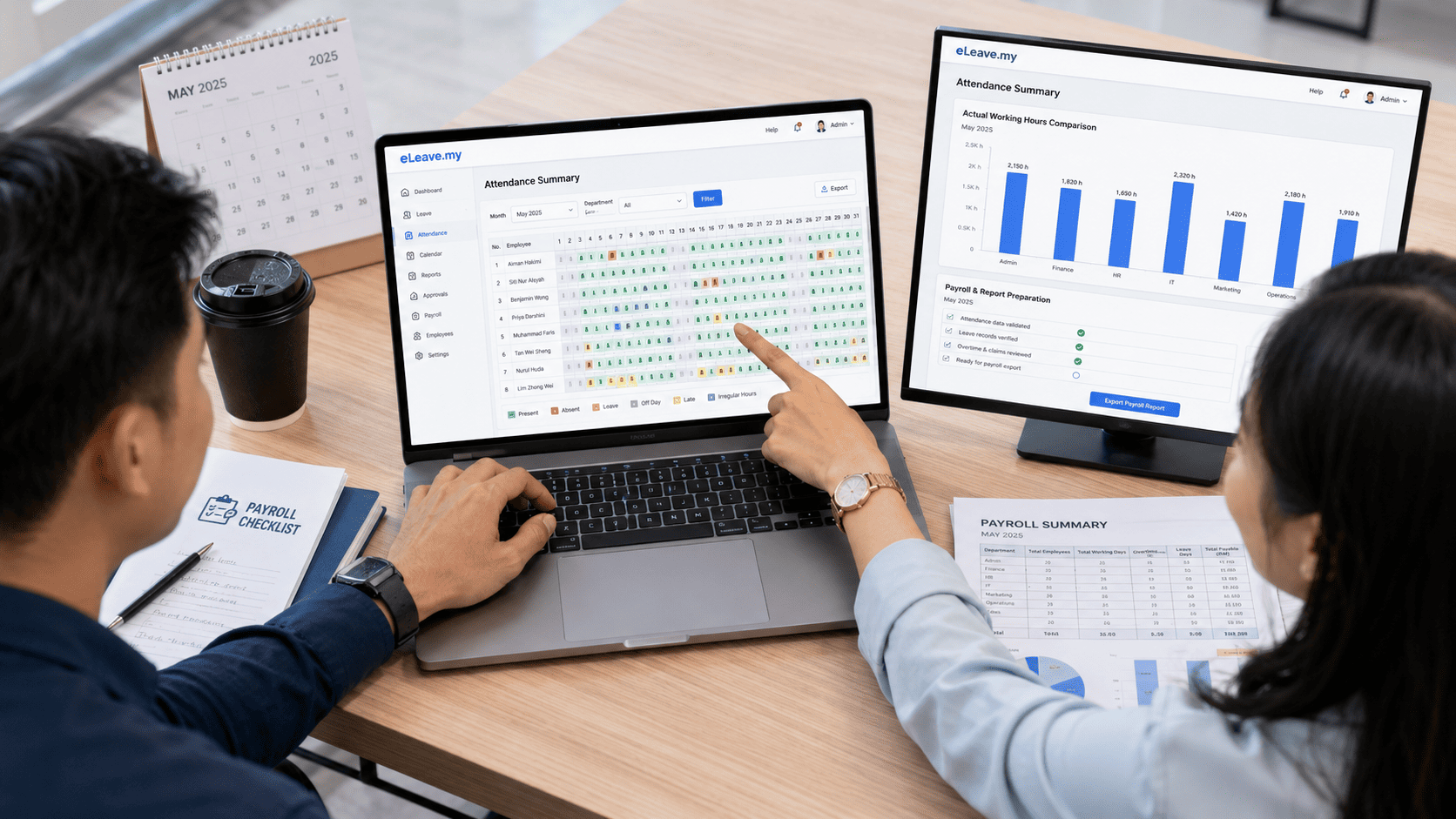
Whether you manage office staff, shift workers, service teams or branch employees, eLeave.my helps you centralise attendance and leave records in one place.
Track normal working hours, late arrivals, leave and monthly attendance records.
Manage shift workers, overtime, rest days, missing punch records and exceptions.
Monitor field staff clock-in records, attendance status and follow-up readiness.
Centralise attendance across multiple outlets, branches and departments.
Instead of checking every employee’s timesheet one by one, eLeave.my Attendance Summary gives your HR team a high-level monthly view of all staff attendance.
This makes it easier to identify who is present, absent, on leave, late or working with irregular hours before payroll is processed.
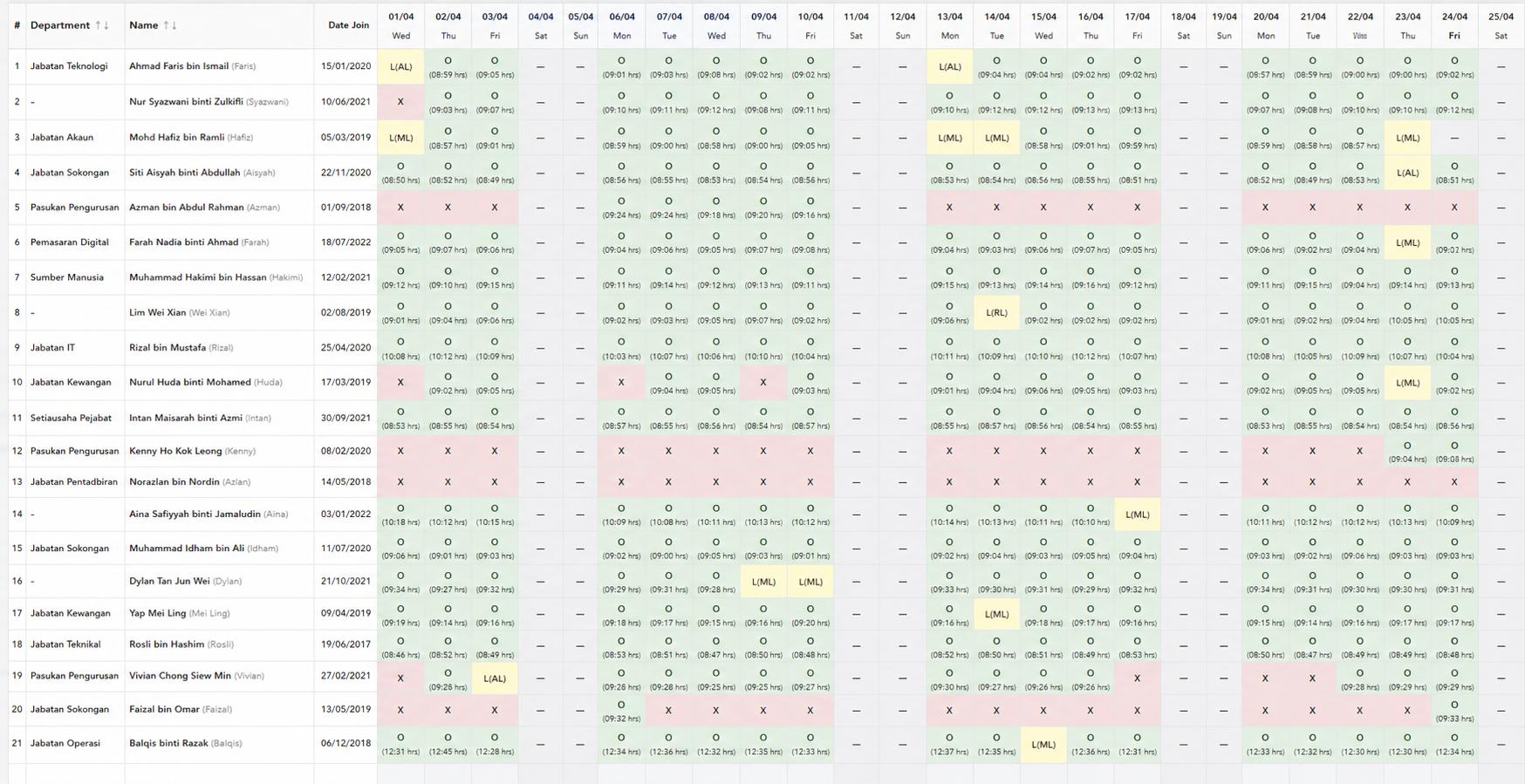
Check employee attendance status by date, department and work record.
Display daily total work hours for faster attendance and payroll verification.
Show annual leave, medical leave, replacement leave and other approved leave types.
Highlight absent or incomplete attendance records for HR follow-up.
See all employees’ monthly attendance status in one easy-to-read summary.
| Employee | Department | Present | Leave | Absent | Off Day | Total Hours | Status |
|---|---|---|---|---|---|---|---|
| Staff A | Admin | 20 | 1 | 0 | 8 | 168h | Good |
| Staff B | Operation | 18 | 2 | 1 | 8 | 154h | Check Leave |
| Staff C | Sales | 17 | 0 | 2 | 8 | 143h | Need Follow-up |
| Staff D | Retail | 19 | 1 | 0 | 9 | 160h | Shift Team |
This monthly view helps HR quickly compare all employees by date, department and status. Instead of opening each staff record one by one, HR can immediately see present days, leave, absence, rest days and irregular records before payroll.
*This is a dummy sample preview. Actual summary results will depend on company work patterns, leave records, attendance device data and payroll rules.
Attendance Summary is designed for business owners and HR teams who want fewer payroll disputes, less checking work and clearer monthly records.
See how a proper attendance summary helps your HR process become clearer and easier to manage.
Talk to our team and we can show how eLeave.my fits your work pattern, leave policy, attendance method and payroll workflow.
Office hours, shift rules, rest days and lunch break setup.
Approved leave records reflected into monthly attendance.
Cleaner attendance data before salary calculation.
eLeave.my is more than one report. Your attendance, leave, payroll and HR activity records can work together to reduce repeated data entry and improve accuracy.
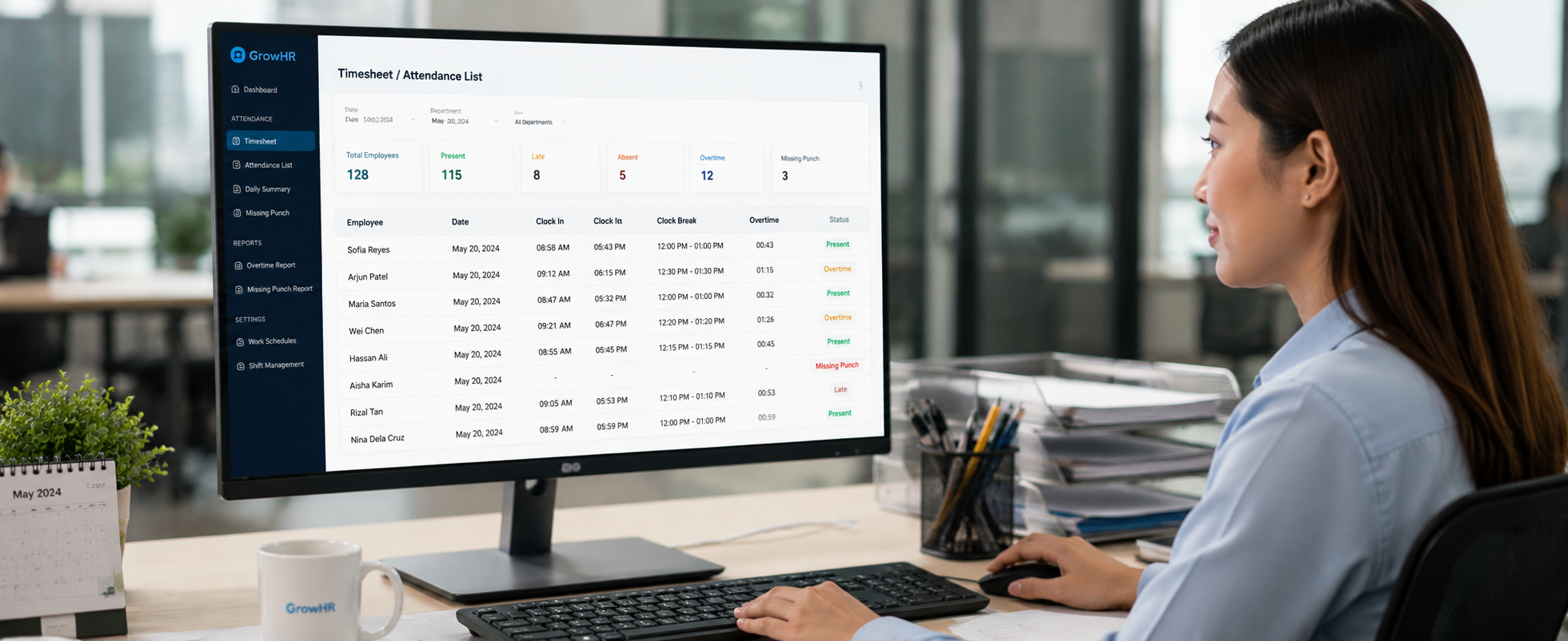
Clock-in and clock-out records flow into timesheet and attendance reports.
Approved leave records appear in attendance summary and monthly reports.
Attendance and leave records help support payroll checking and salary processing.
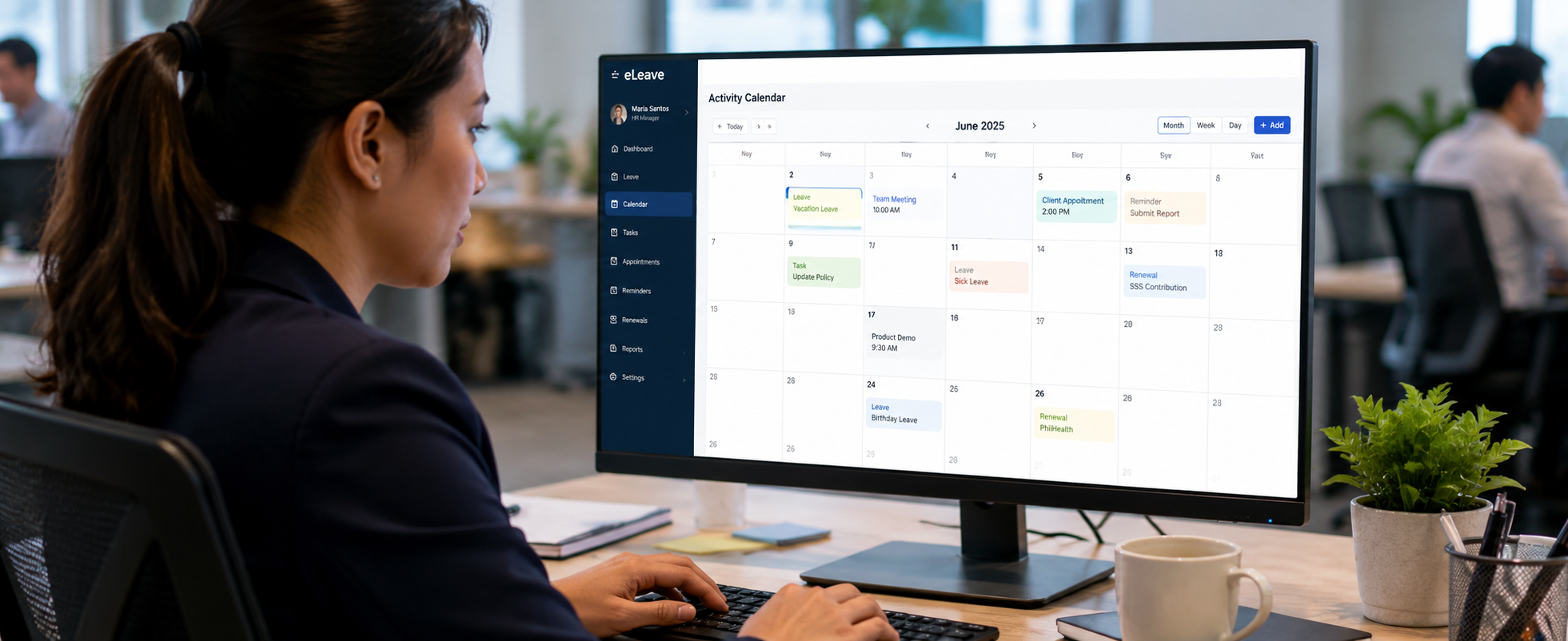
Important HR, service and renewal activities can be viewed in one calendar.
Attendance Summary is especially useful when your company has growing headcount, multiple teams, branch staff, different work patterns or frequent payroll checking issues.
Suitable for local SMEs, offices, service teams and branch operations.
Our team can guide your setup, workflow and daily HR usage.
Your attendance and HR data are managed in a structured system.
Simple interface for HR, managers and employees to understand.
A proper monthly summary helps HR identify issues before payroll is processed. It gives your team a cleaner way to review employees who are absent, on leave, late, working half days or missing attendance records.
Attendance Summary works together with detailed timesheet records, leave management and payroll preparation, helping businesses reduce manual calculation and reporting mistakes.
A simple monthly overview for HR, payroll, admin and management teams.
View all staff attendance status, leave, absence and working records in one clear table.
Check daily and monthly work hours to support attendance and payroll verification.
Approved leave records can be reflected together with attendance records for clearer review.
Spot absent, late, missing punch and incomplete records before payroll cut-off.
Review staff attendance by department, branch or team for better management visibility.
Use attendance summary records for payroll checking, HR filing and management review.
Common questions from business owners, HR teams and payroll users.
An attendance summary report gives HR and management a monthly overview of employee attendance status, working hours, leave, absence, rest days and irregular records in one table.
HR and payroll teams can review working days, leave days, absence records and irregular attendance before salary calculation. This helps reduce manual checking and payroll disputes.
Yes. It is useful for companies with office staff, shift workers, branch teams, rest day rules, lunch break rules and different departments.
Yes. Attendance Summary can support attendance records, approved leave data and detailed timesheet reports, giving HR a clearer monthly view.
Yes. The report gives management a clearer view of attendance trends, absence patterns and departments that may need follow-up.
No. It works as a summary view. HR can still refer to detailed timesheet and clock-in records when deeper checking is needed.
eLeave.my helps your business centralise attendance data, leave records, work hours and monthly summaries so HR teams can make faster decisions and reduce manual checking work.