Flexible participant access
Use configured BizCloud rules, records and visibility to make this outcome repeatable across the organisation.
Employee sets appear in My Assessment, while general assessments use a URL, QR code and access key with active and deactivation dates.
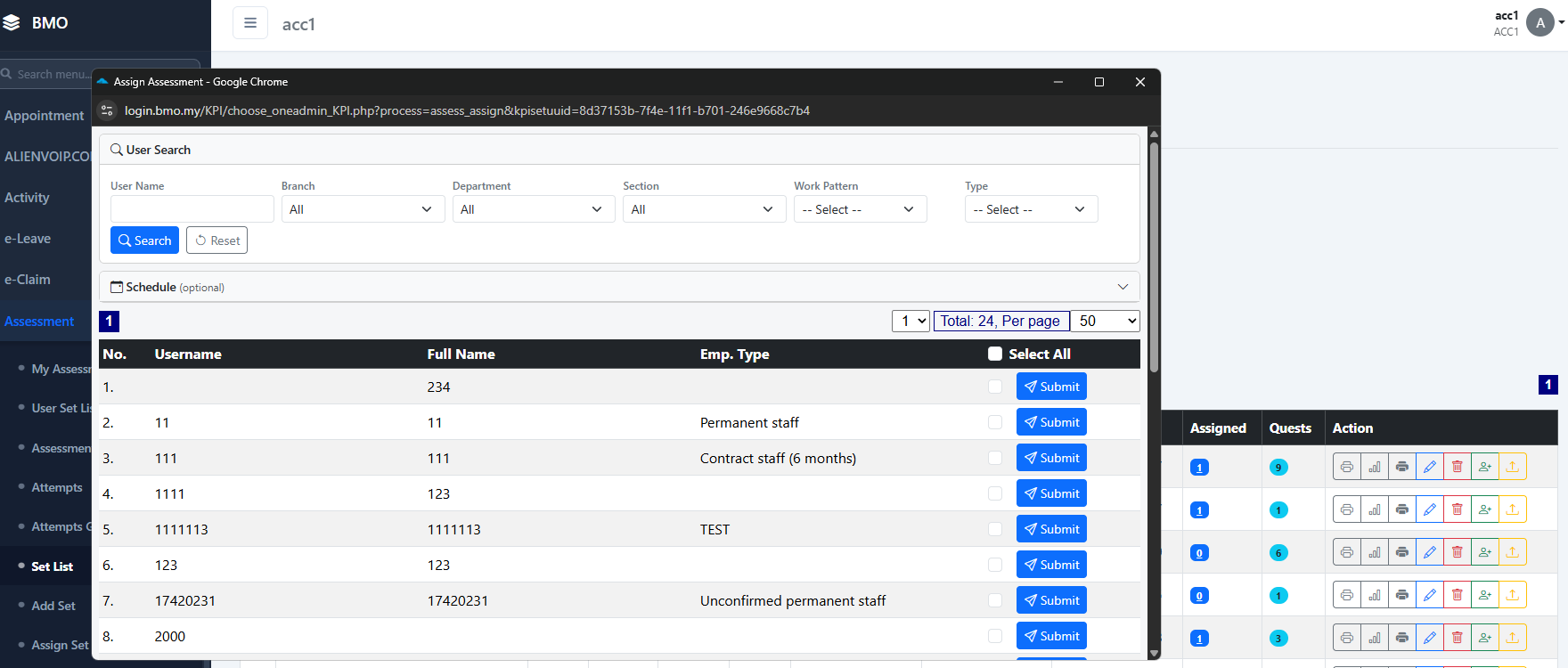
Assign tests to employees or open a controlled URL and QR assessment for non-employees.
Use configured BizCloud rules, records and visibility to make this outcome repeatable across the organisation.
Use configured BizCloud rules, records and visibility to make this outcome repeatable across the organisation.
Use configured BizCloud rules, records and visibility to make this outcome repeatable across the organisation.
These functions come directly from the current BizCloud system and the supplied module information.
Discuss this capabilityAssign an assessment set to selected employees.
Show assigned work in the employee My Assessment area.
List all sets assigned to users.
Create a general or non-employee assessment URL.
Generate QR access and an access key.
Set activation and deactivation dates.
Collect participant details such as phone number for a general set.
BizCloud combines setup rules, employee or manager actions, automated processing and controlled follow-up.
Use employee assignment or controlled public access.
Define active and deactivation dates where required.
Assign employees or share the URL, QR code and access key.
Review assigned users and submitted general responses.
Each screenshot corresponds directly to this workflow and can be enlarged for a closer look.