Approvals match claim policy
Use configured BizCloud rules, records and visibility to make this outcome repeatable across the organisation.
Claim approval requirements may differ from leave. BizCloud maintains a dedicated claim approval set and brings outstanding items into dashboard and mobile approval views.
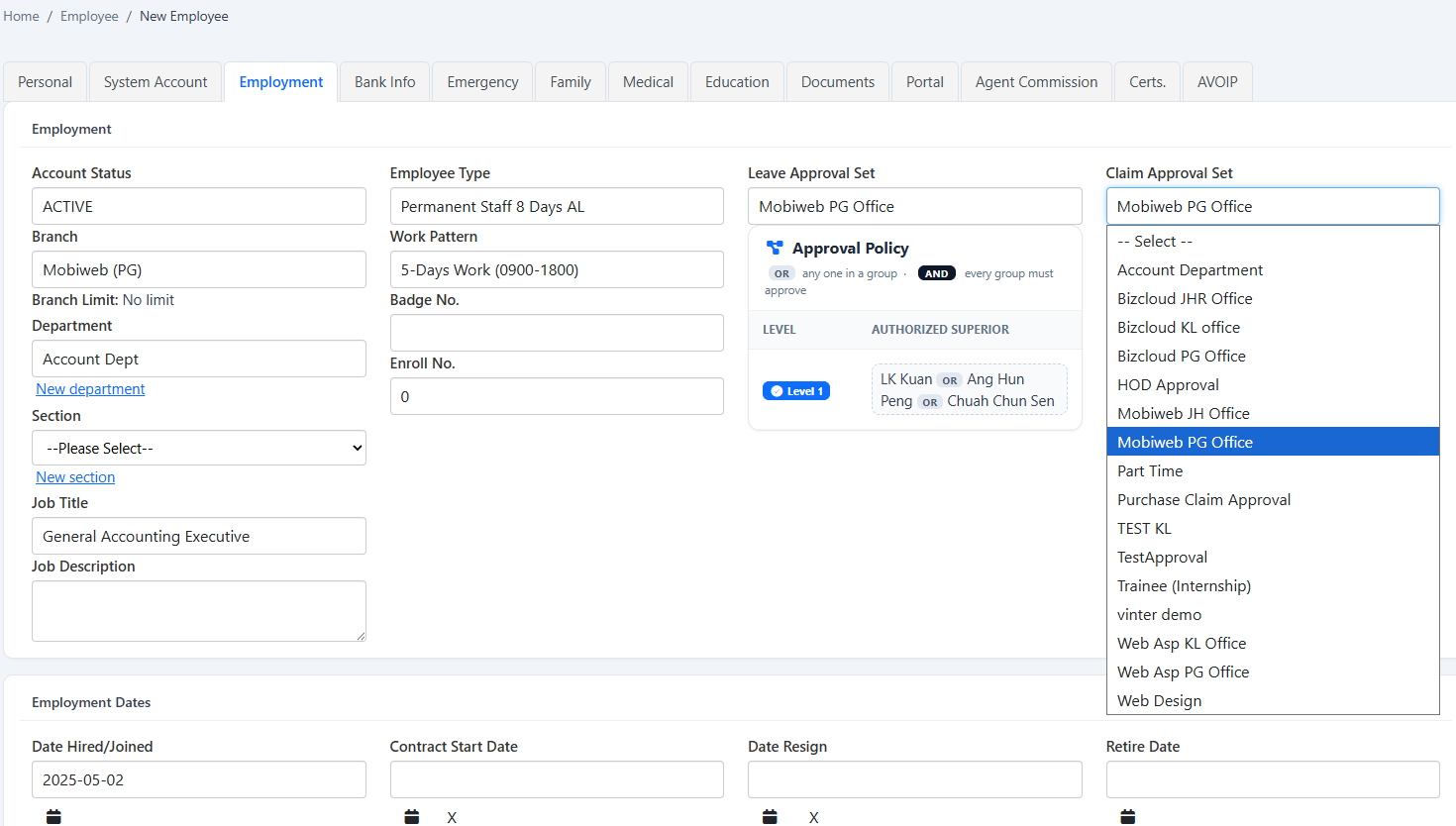
Keep claim approvals separate from leave, combine title/project/type settings and surface pending decisions.
Use configured BizCloud rules, records and visibility to make this outcome repeatable across the organisation.
Use configured BizCloud rules, records and visibility to make this outcome repeatable across the organisation.
Use configured BizCloud rules, records and visibility to make this outcome repeatable across the organisation.
These functions come directly from the current BizCloud system and the supplied module information.
Discuss this capabilityAssign a claim approval set separately from the leave approval set.
Maintain the claim approval set from the employee record.
Combine title, project and claim-type settings in a claim template.
Use dashboard widgets for pending e-Claim approvals.
Show e-Leave and e-Claim approval widgets together where appropriate.
Support manager approval from the BizCloud app.
Keep project and claim configuration reusable across submissions.
BizCloud combines setup rules, employee or manager actions, automated processing and controlled follow-up.
Define the title, project, type and template options.
Choose the claim-specific route for the employee.
The request enters the configured approval workflow.
Show pending work on dashboard and mobile approval views.
Each screenshot corresponds directly to this workflow and can be enlarged for a closer look.